OAuth2 code 认证授权
OAuth2 code 认证授权
OAuth2 code 认证授权
- 认证步骤
# 认证链接
https://accounts.google.com/o/oauth2/authaccess_type=offline&approval_prompt=force&client_id=5165567545092sa65ilfc89m64sarvraicnqfueevl3u.apps.googleusercontent.com&redirect_uri={填回调地址}&response_type=code&scope=https://www.googleapis.com/auth/calendar&state={业务自定义值}
- 授权步骤
浏览器访问上述链接会跳转到认证授权页面,由用户确认授权,之后回调上述填的回调地址,再进行业务处理
# 授权链接
https://oauth2.googleapis.com/token?grant_type=authorization_code&code=4/0Ab32j92v2W2mVTkAn-TkS7Kw0q1ftjoXxSP-oTxMxGBAZNyo7V1Uej65JJzCym9Gvu5QrA&client_id=516556754509-2sa65ilfc89m64sarvraicnqfueevl3u.apps.googleusercontent.com&client_secret=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&redirect_uri={填回调地址}
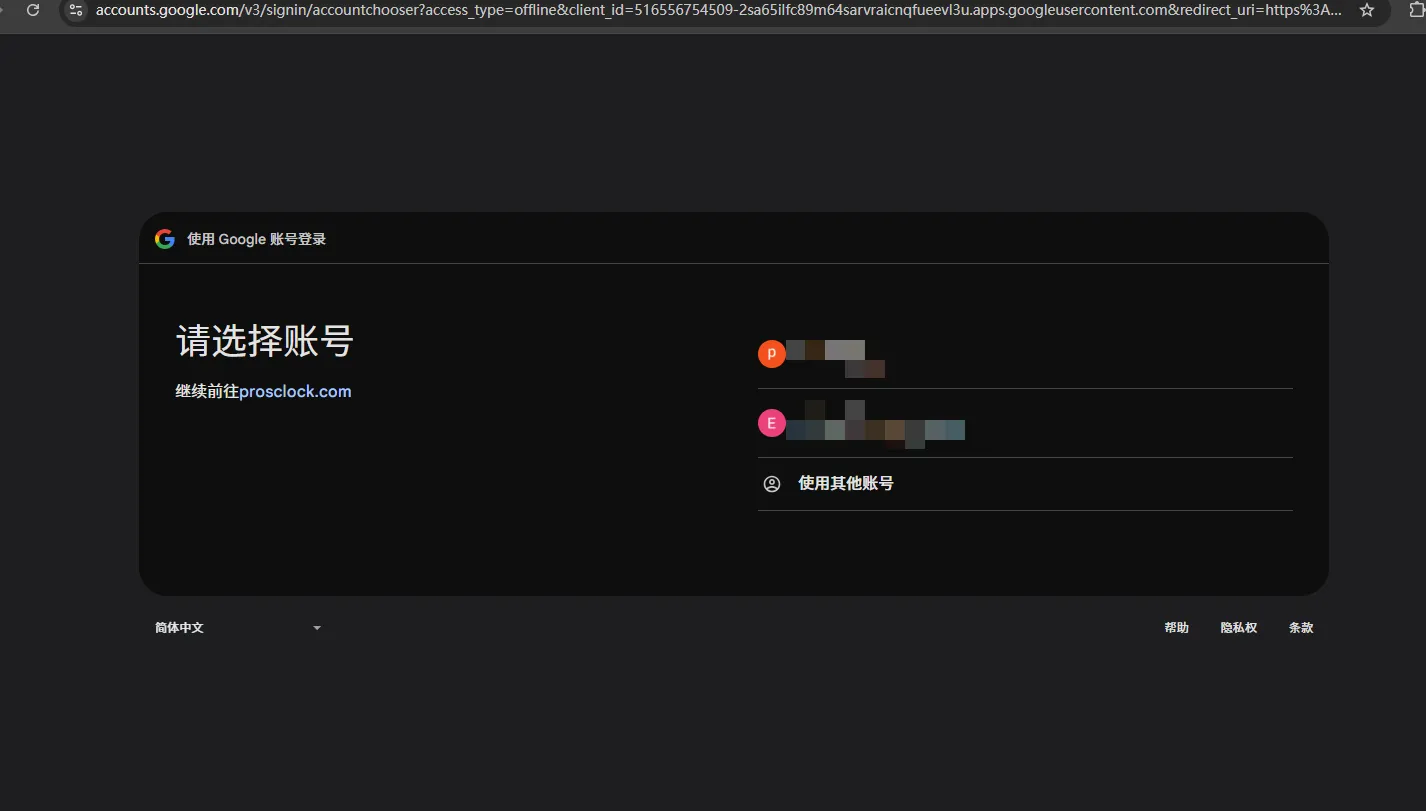
选择账号,这时会跳转到授权界面,继续点击授权表示资源用户同意后,就会回调用户业务接口

回调到业务代码处理发现已回调到业务接口
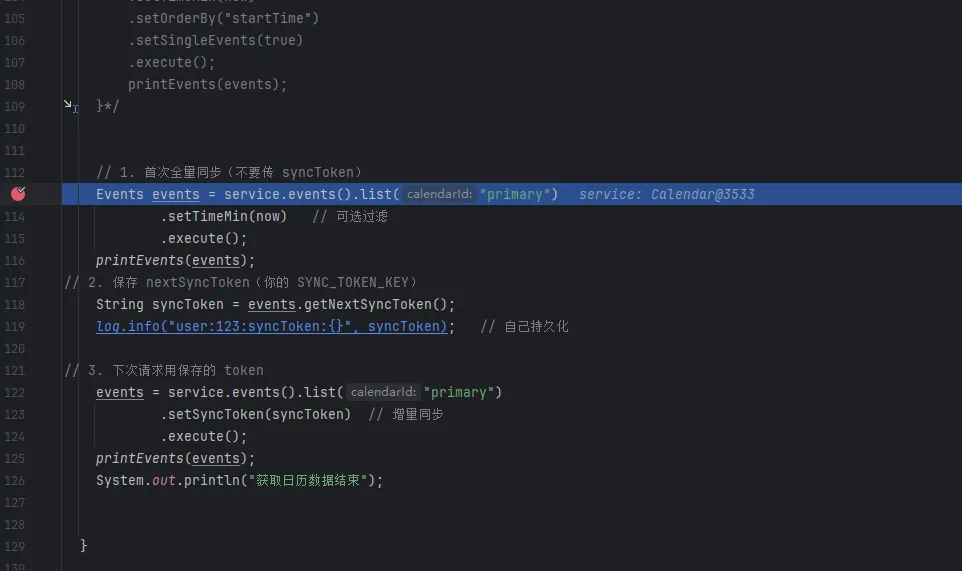
对接谷歌日历接口场景
-
浏览器打开谷歌cloud控制台
https://console.cloud.google.com/ -
创建项目
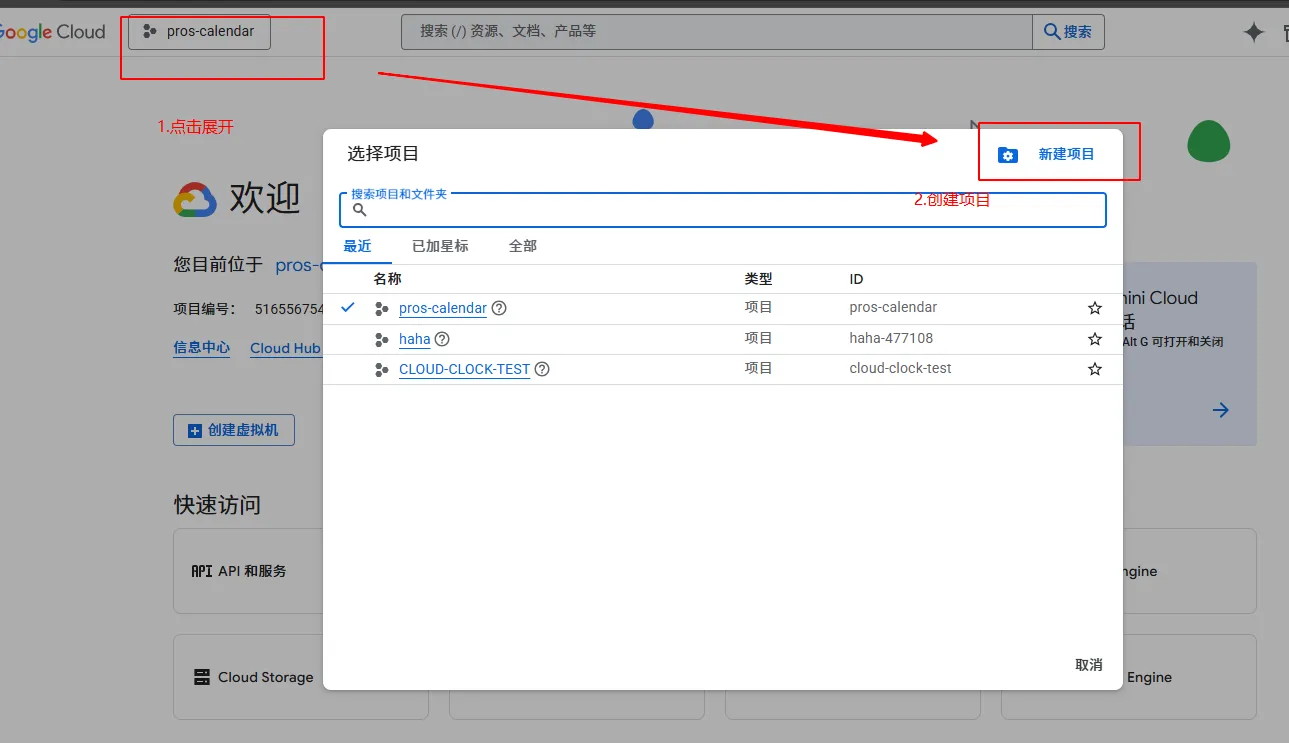
输入项目名称点击创建即可
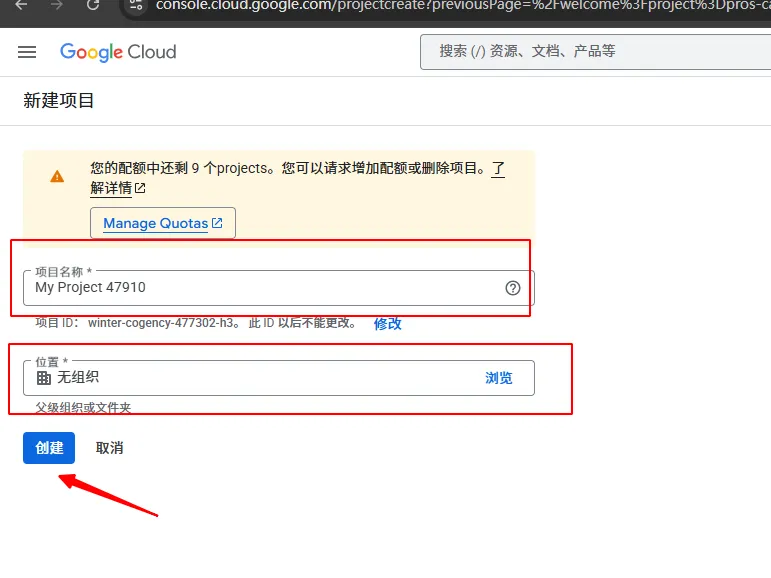
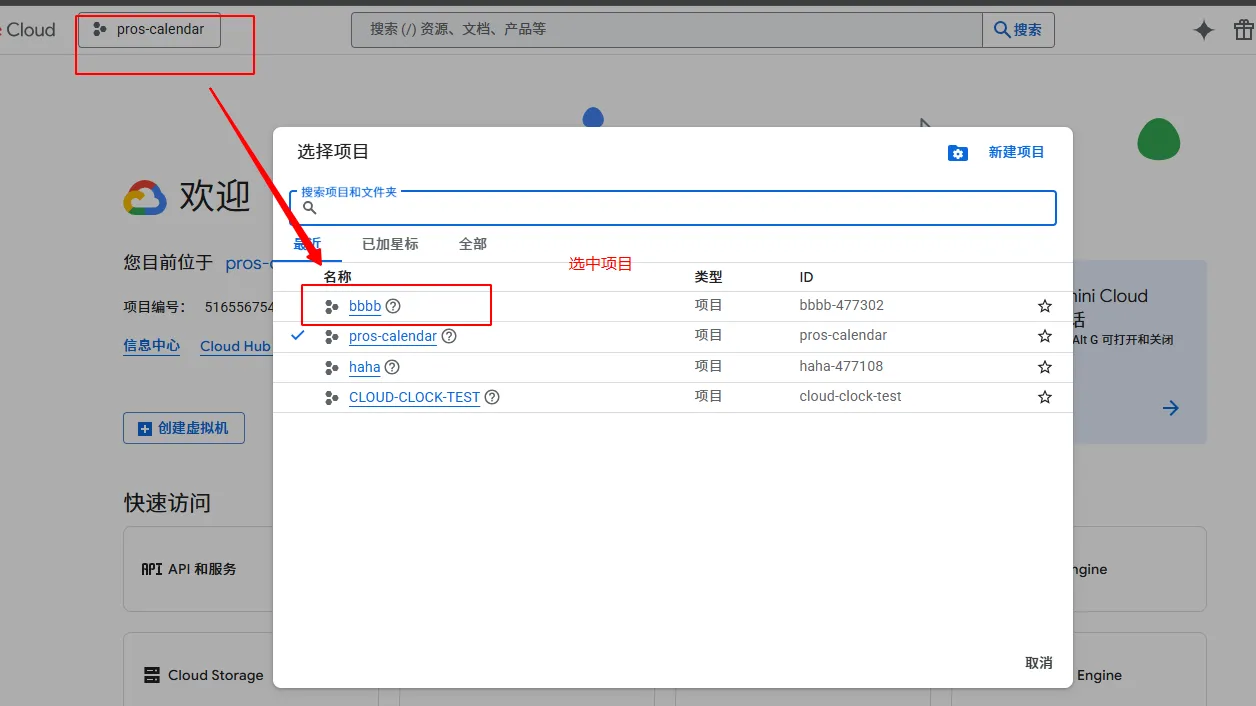
过一会就可以再控制台看见创建的项目,这里随便填写了一个项目名bbbb
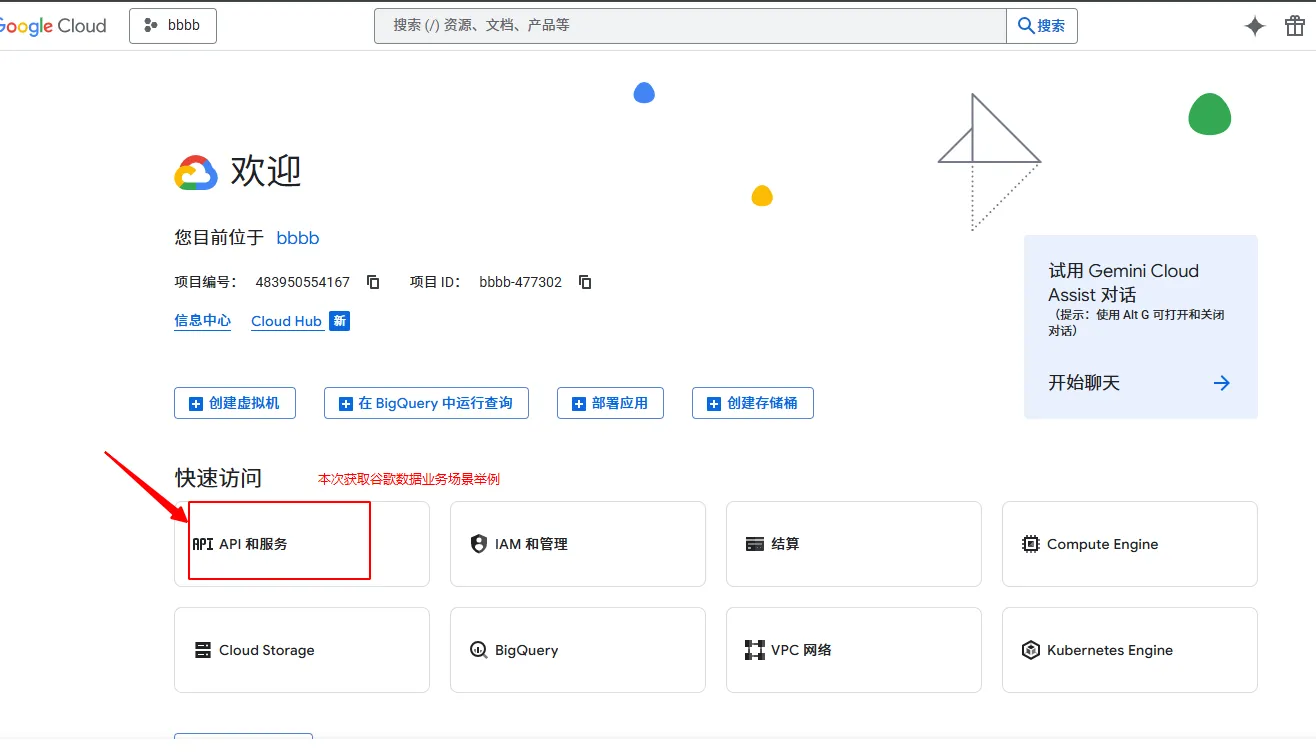
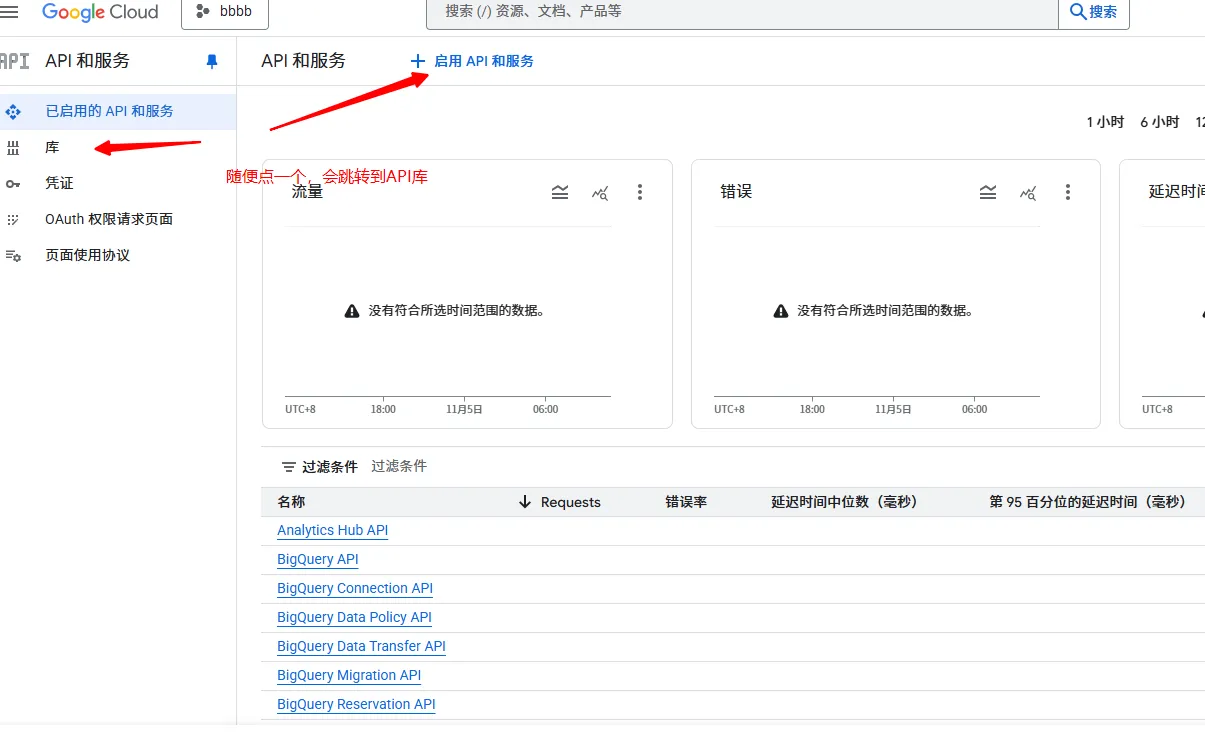
进入API 和服务
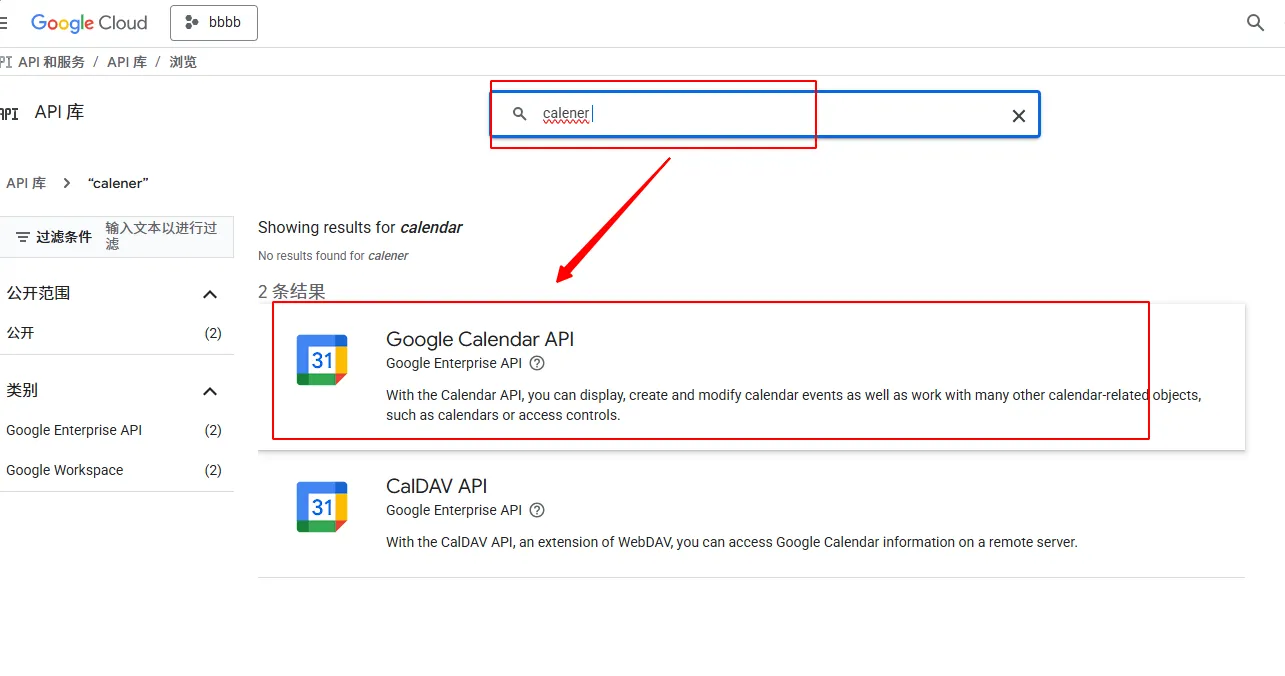
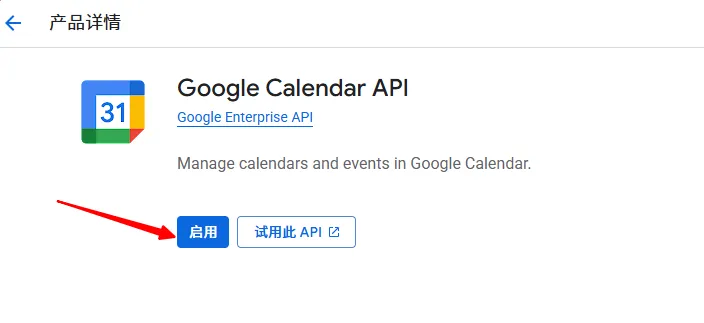
选中谷歌日历API进行启用
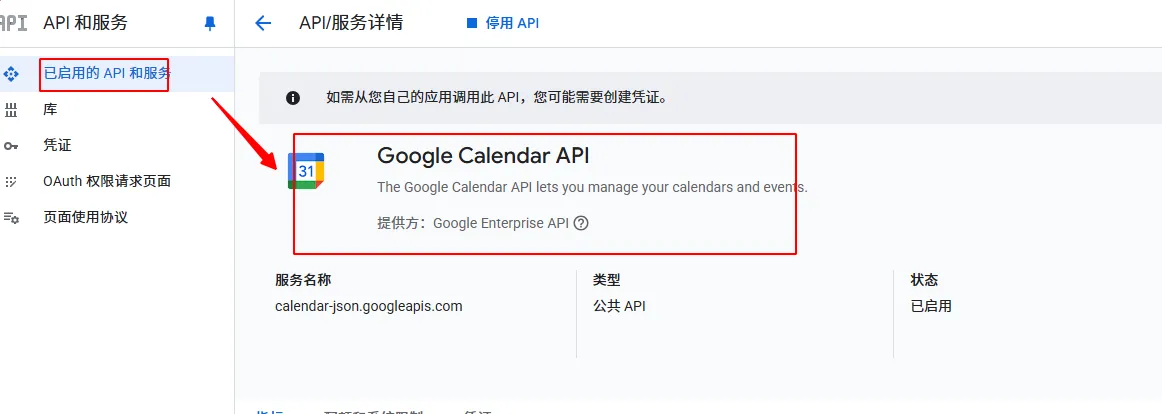
可以看到已启用的服务
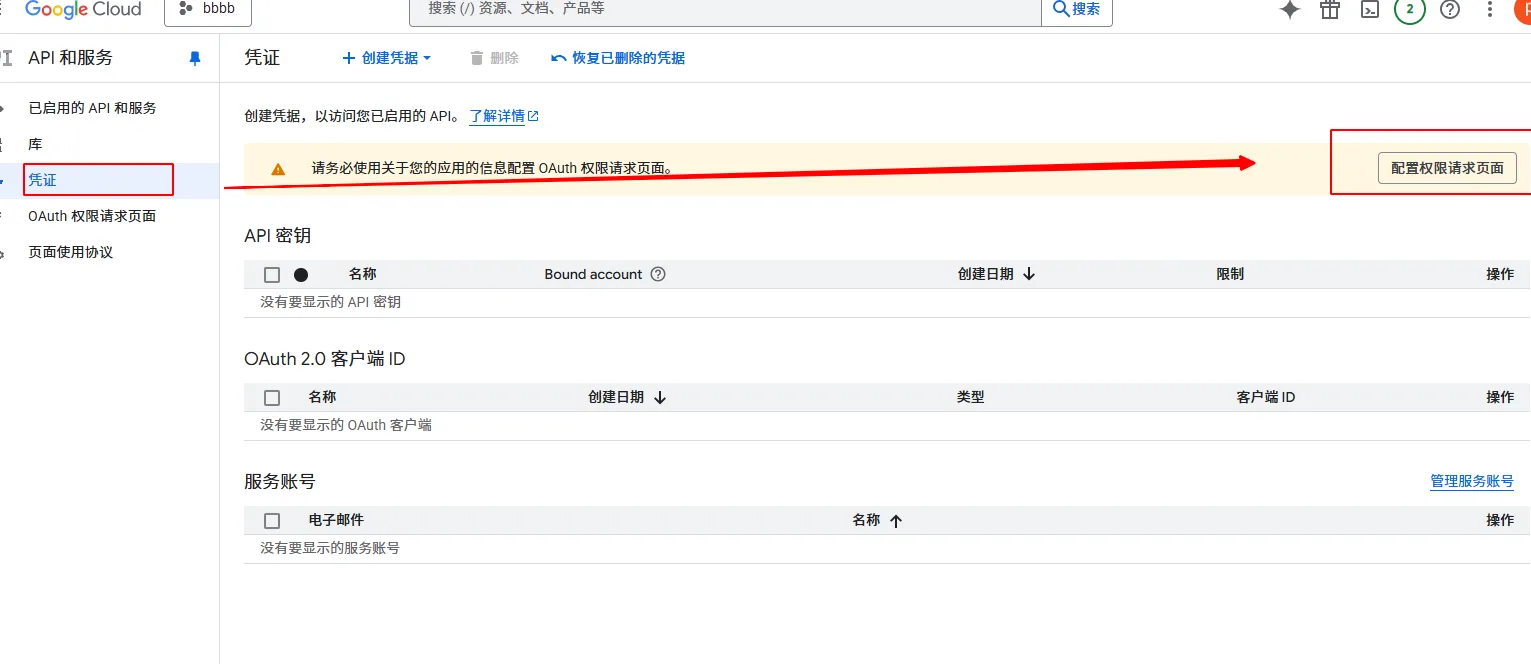
配置凭证
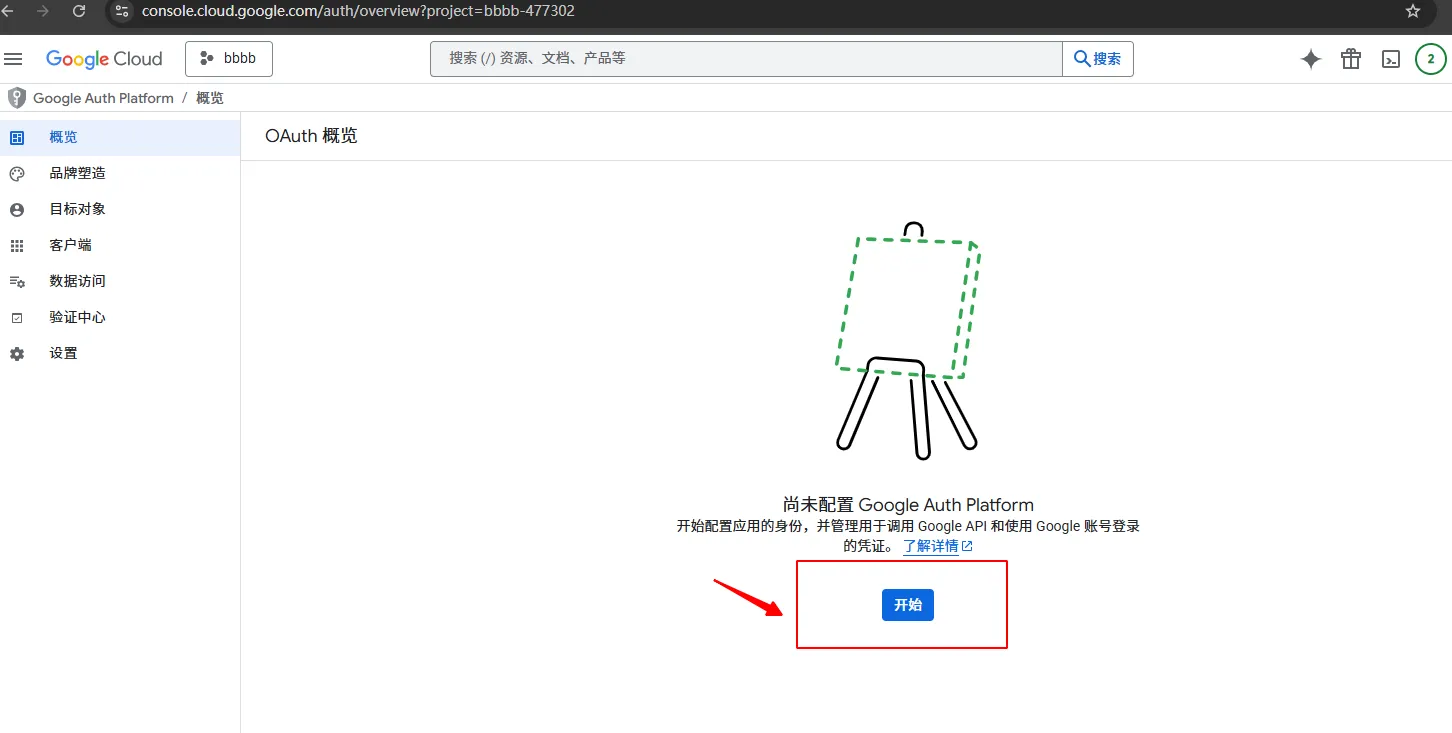
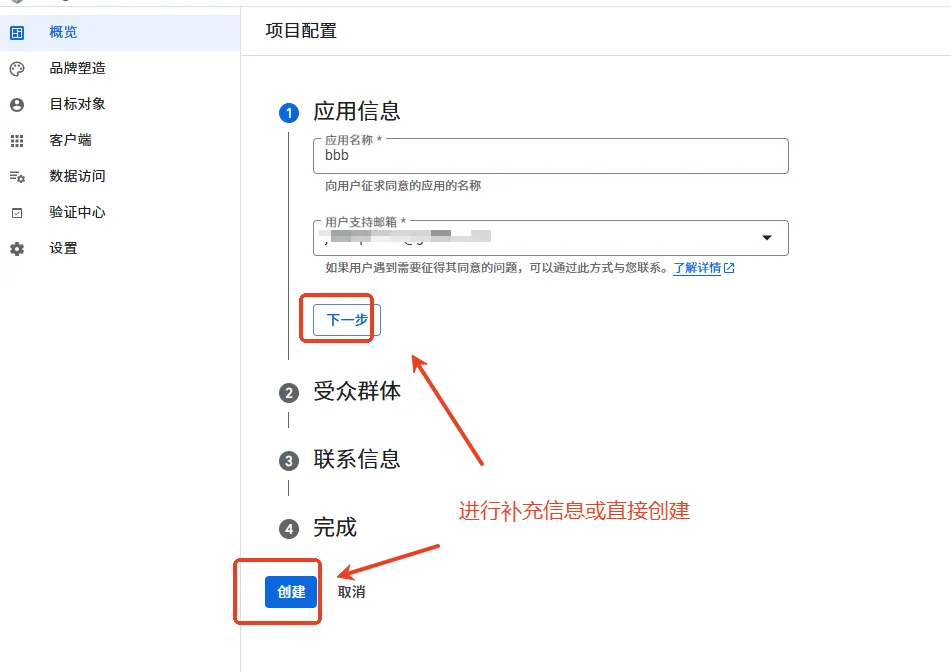
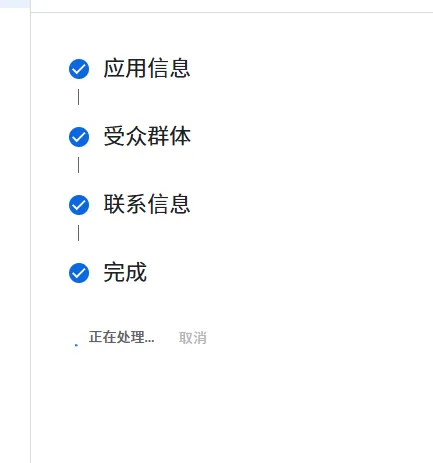
要下一步下一步补充信息,再进行创建
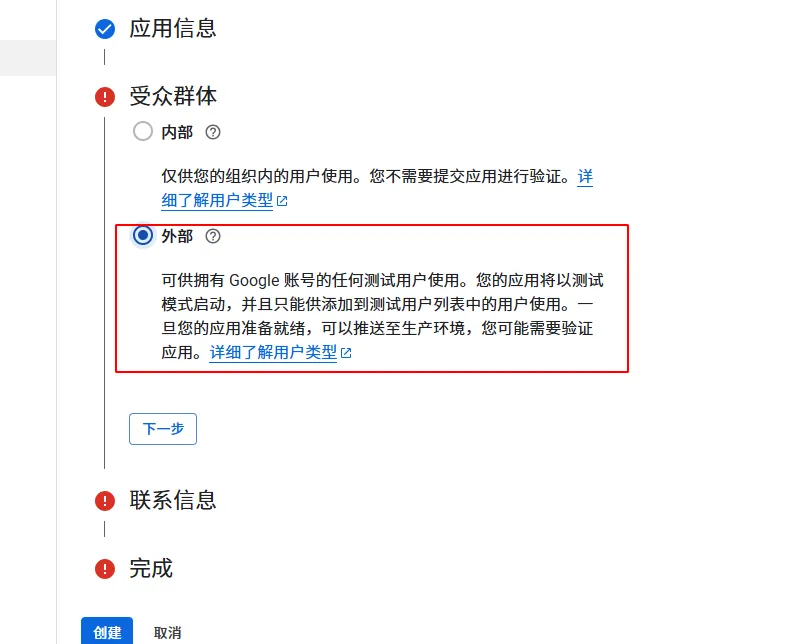
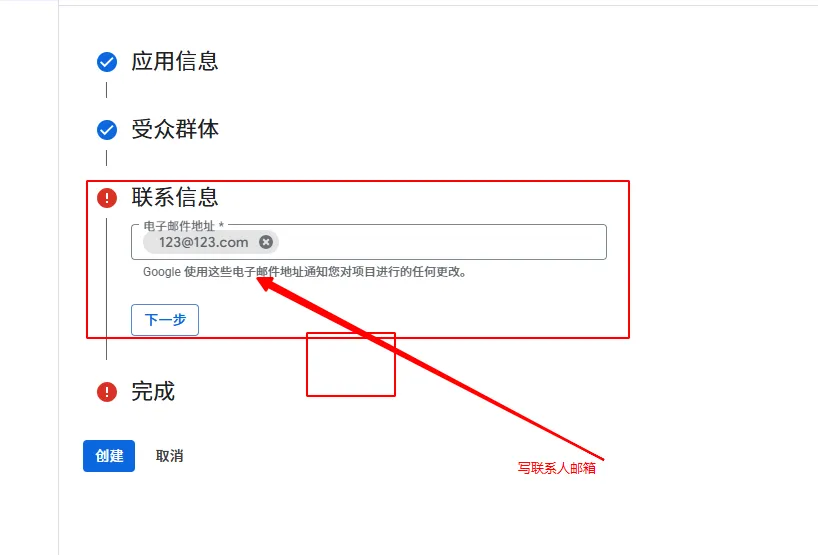
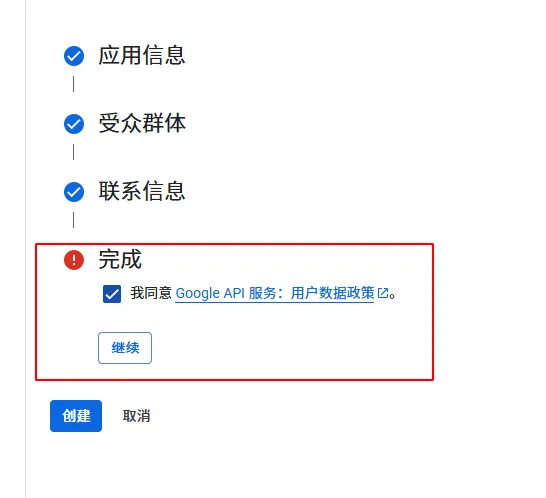
继续创建
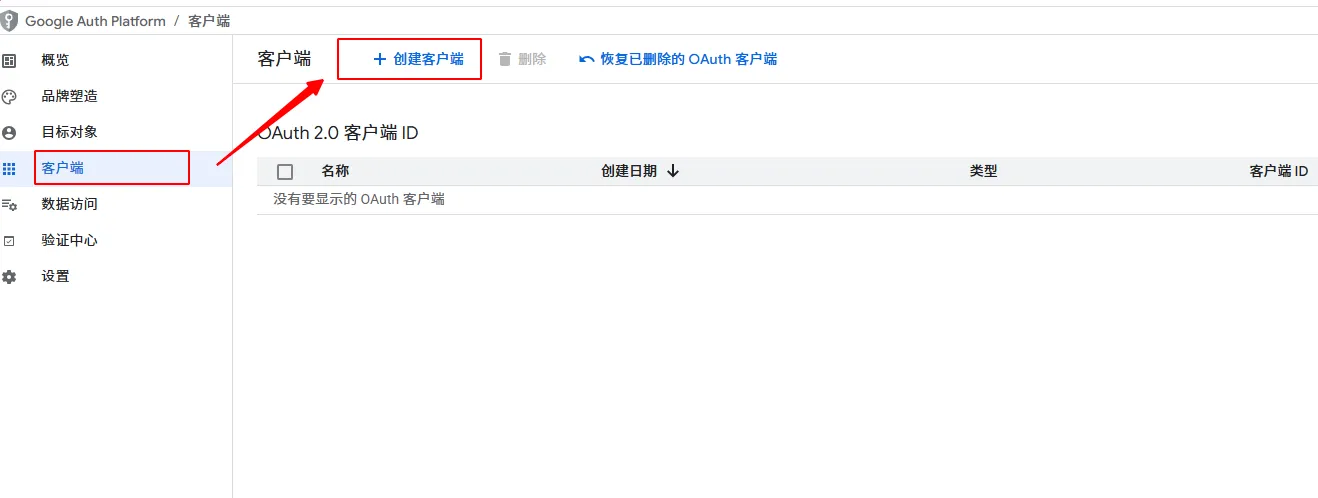
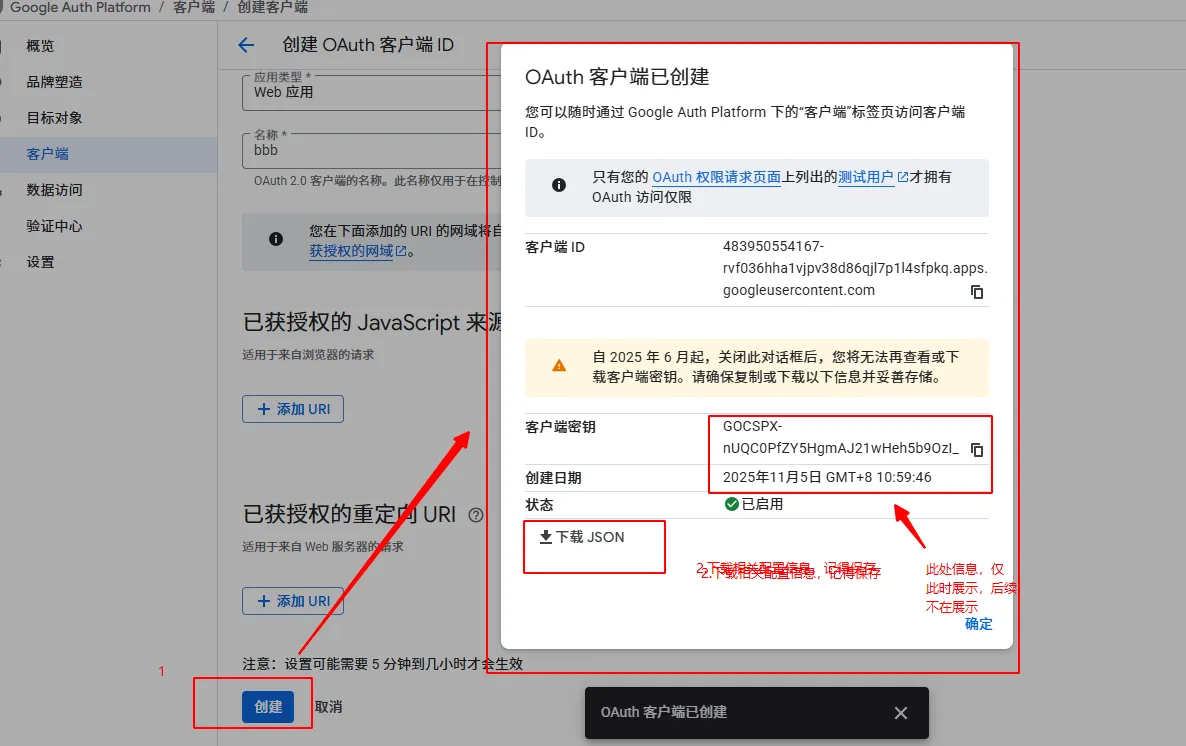
接下来创建客户端
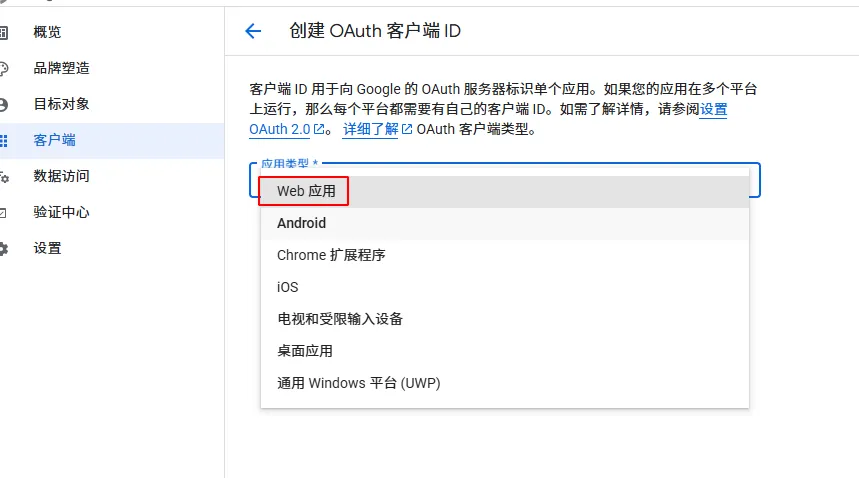
这里简单点直接选中web应用,其它根据自己的具体应用场景进行创建
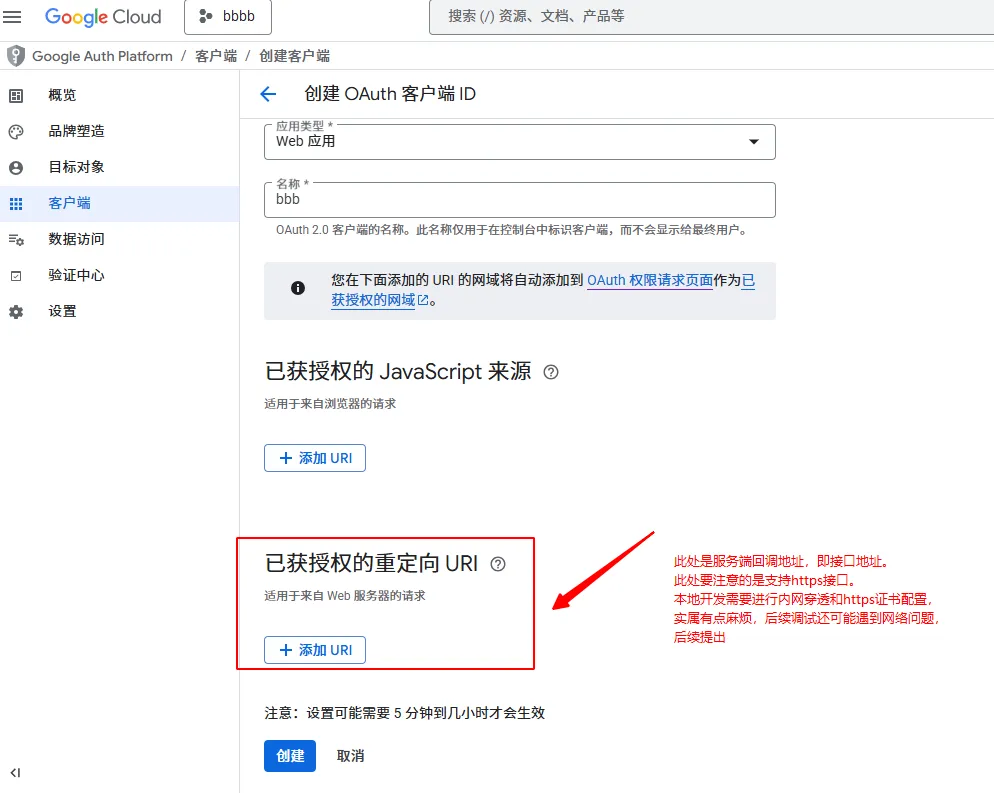
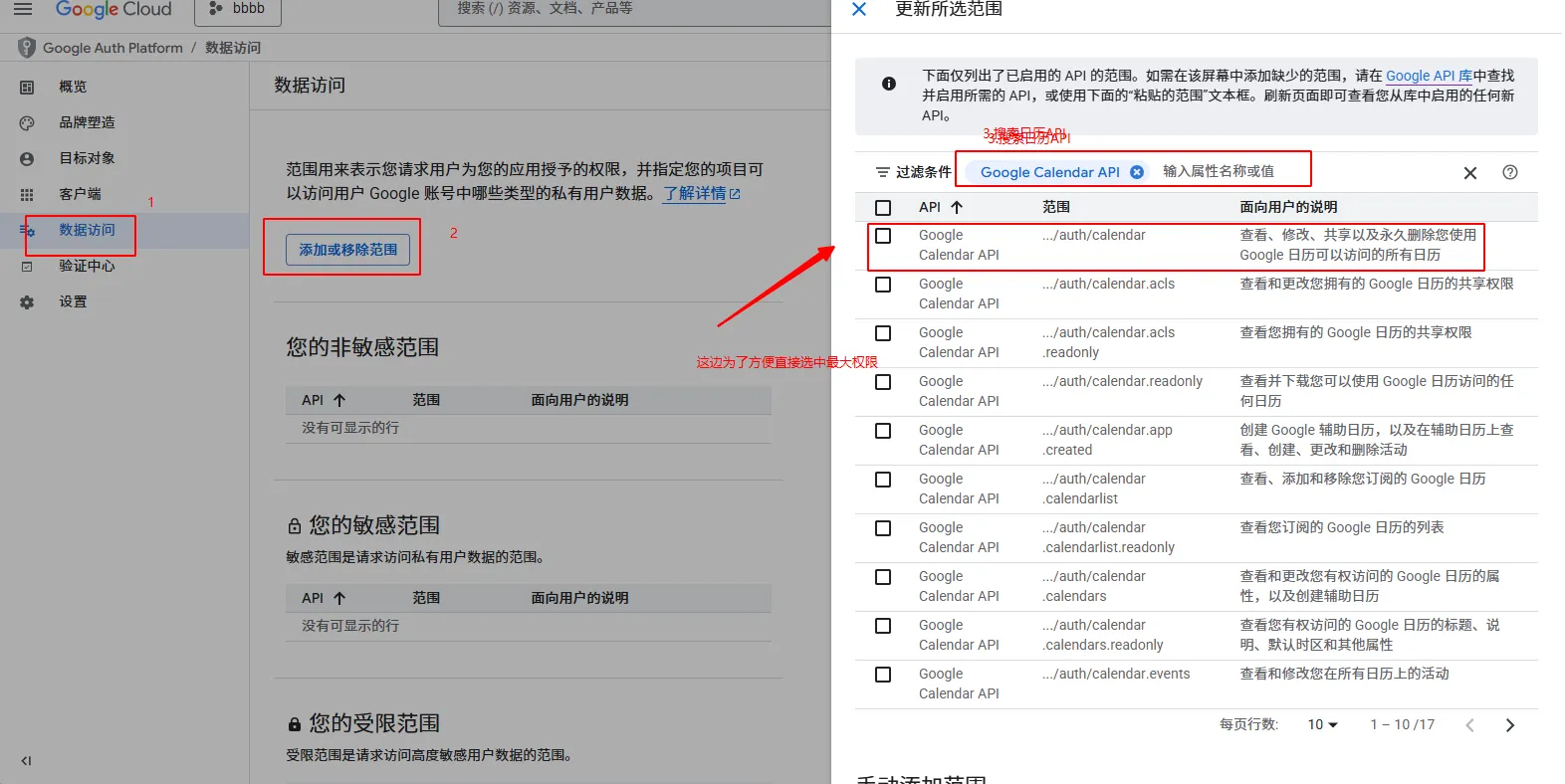
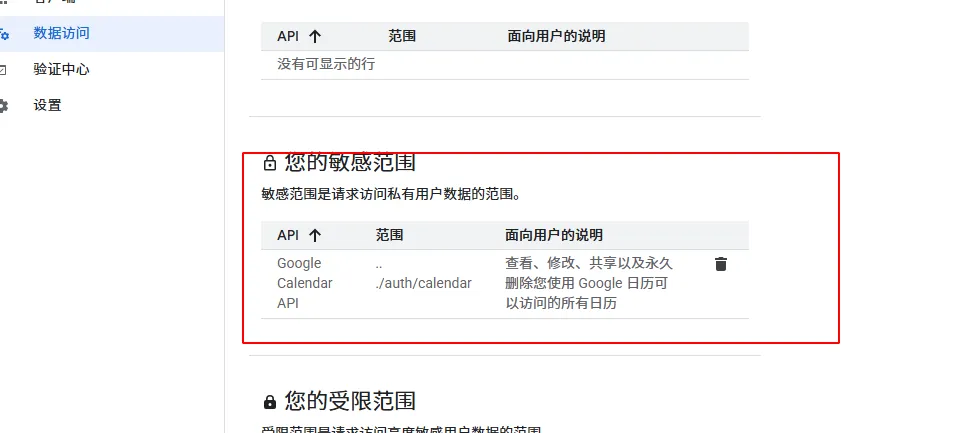
当然还需要配置数据访问,即授权资源
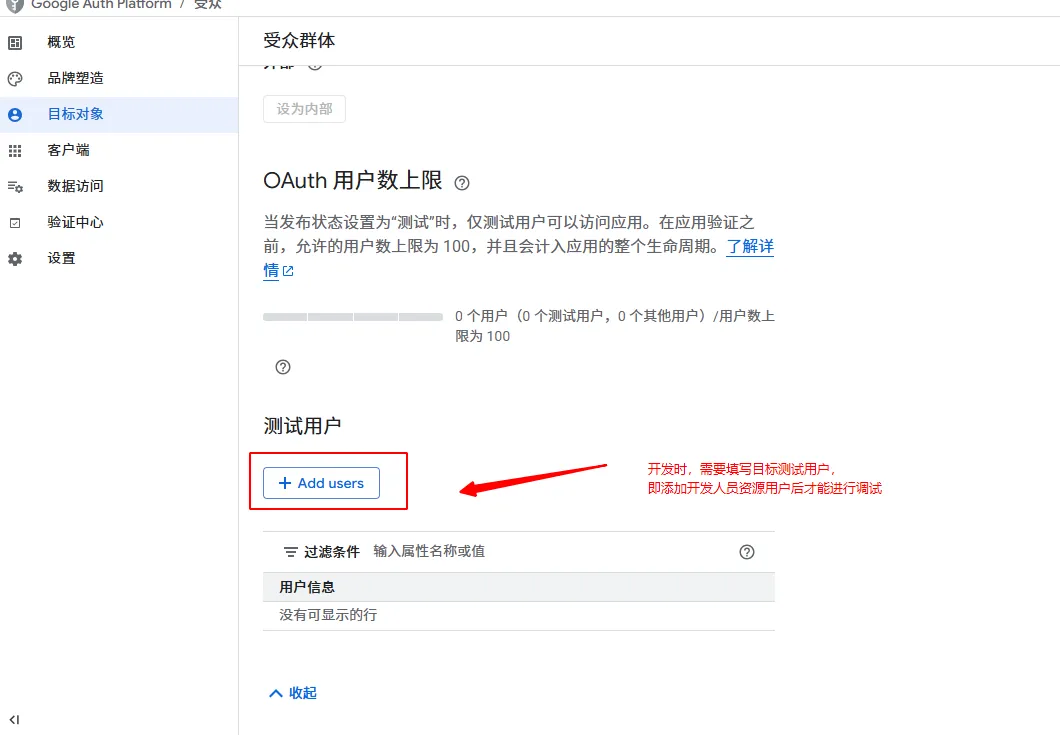
这是谷歌OAuth2官方文档:https://developers.google.com/workspace/guides/configure-oauth-consent?hl=zh-cn
Google API 的 OAuth 2.0 范围:https://developers.google.com/identity/protocols/oauth2/scopes?hl=zh-cn
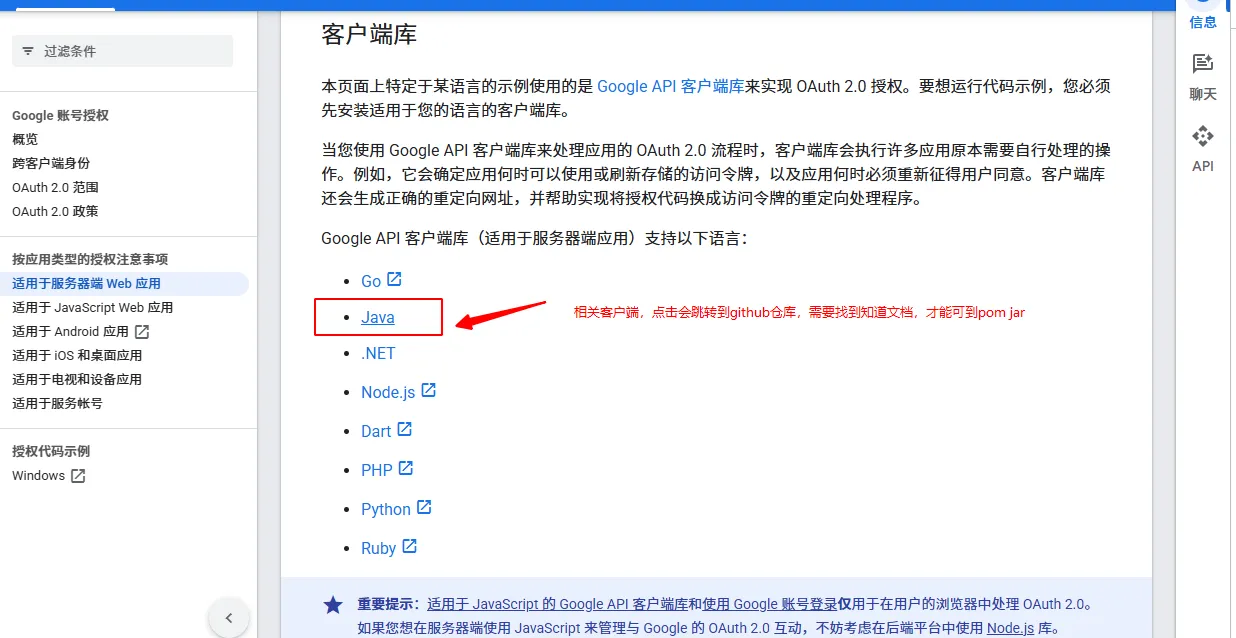
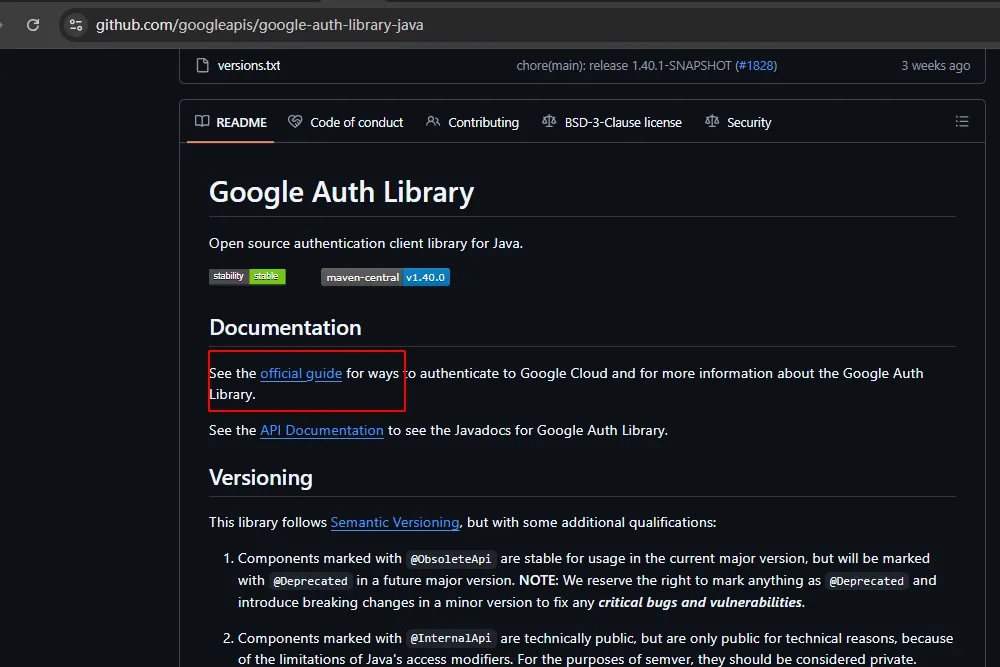
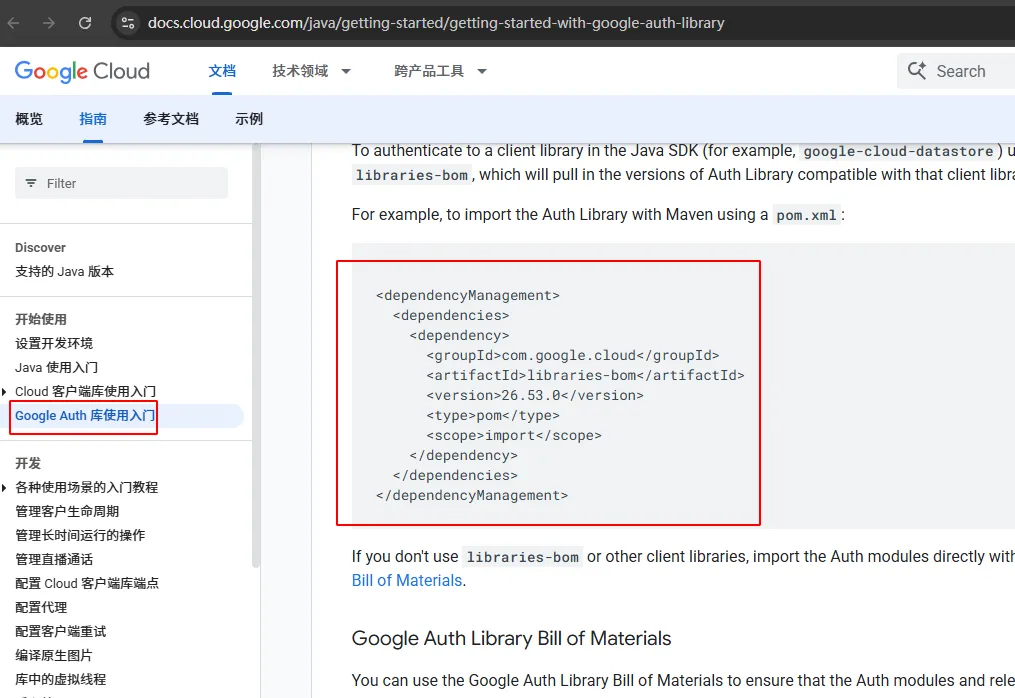
上述仅供参考,接下来回归到业务,在开发者中心打开日历文档
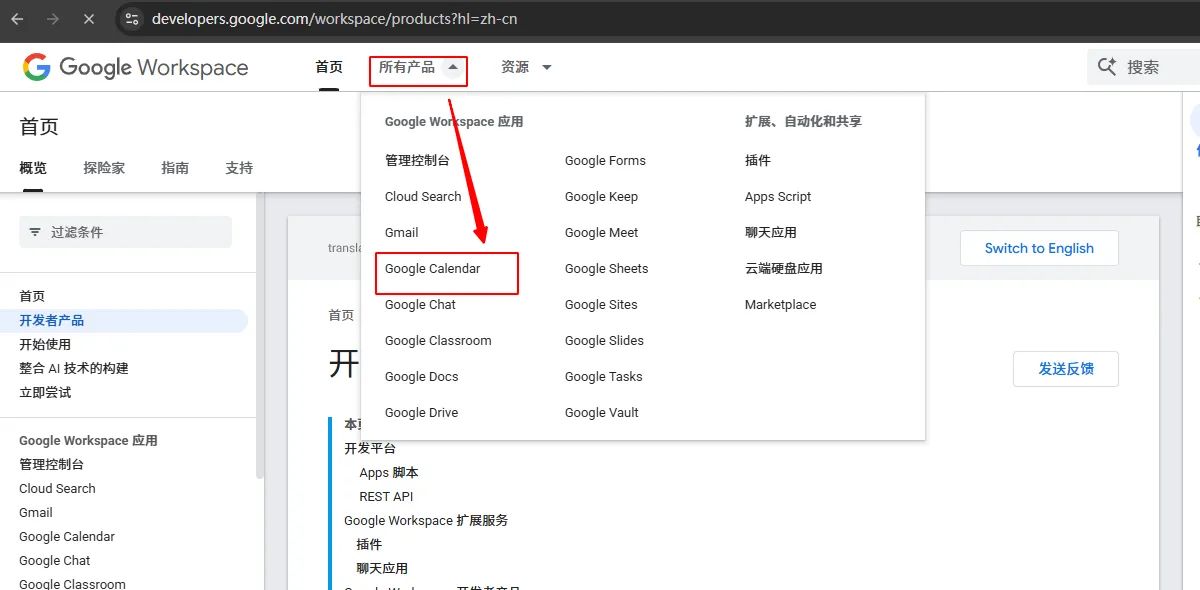
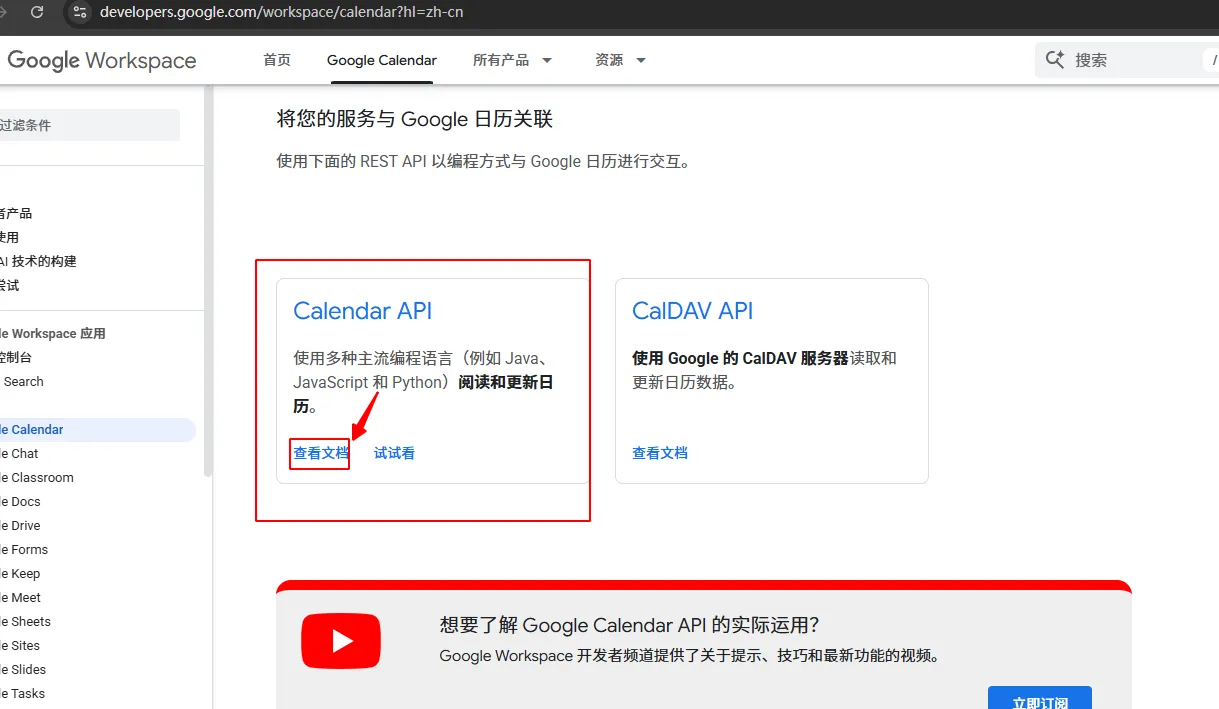
快速点位到目标语言,笔者时JAVA开发人员,直接以JAVA举例
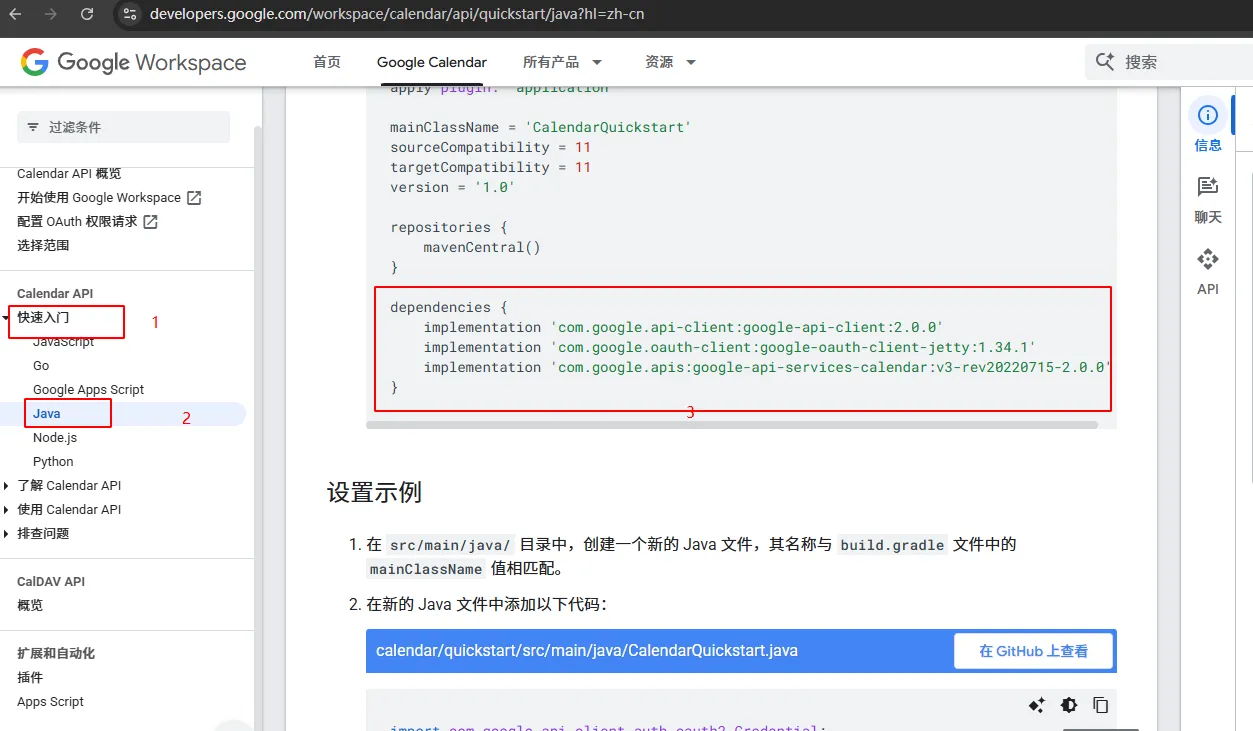
以下时相关Maven API坐标,上述是gradle坐标,是一致的可以互相转换
<!-- Google API -->
        <dependency>
            <groupId>com.google.api-client</groupId>
            <artifactId>google-api-client</artifactId>
            <version>2.0.0</version>
        </dependency>
        <dependency>
            <groupId>com.google.oauth-client</groupId>
            <artifactId>google-oauth-client-jetty</artifactId>
            <version>1.34.1</version>
        </dependency>
        <dependency>
            <groupId>com.google.apis</groupId>
            <artifactId>google-api-services-calendar</artifactId>
            <version>v3-rev20220715-2.0.0</version>
        </dependency>
引入坐标JAVA后调试官方示例代码
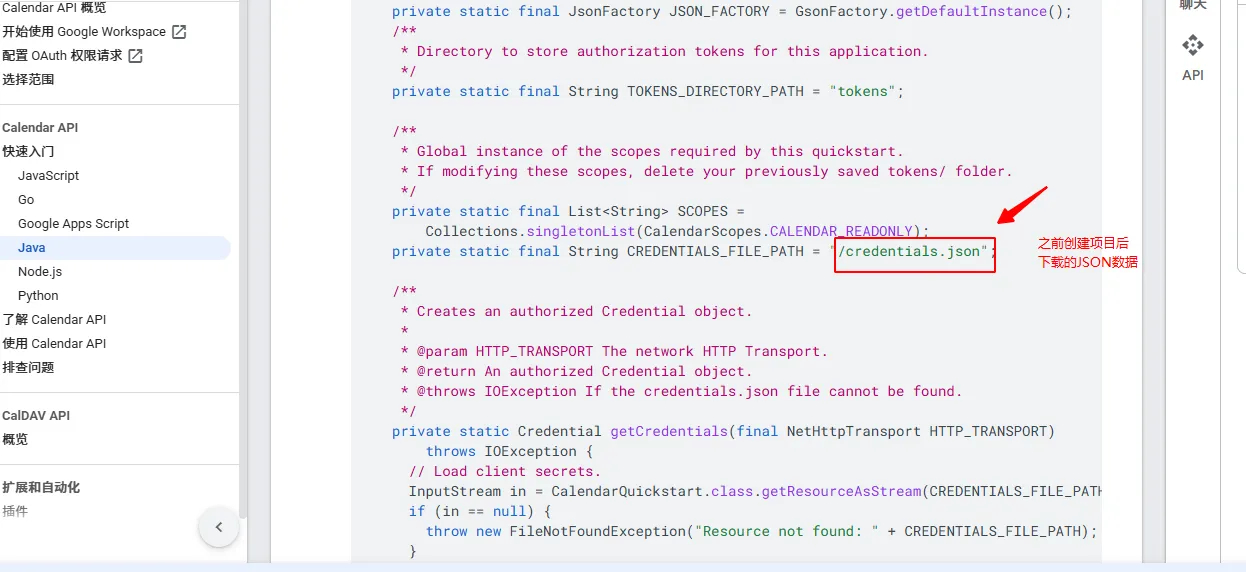
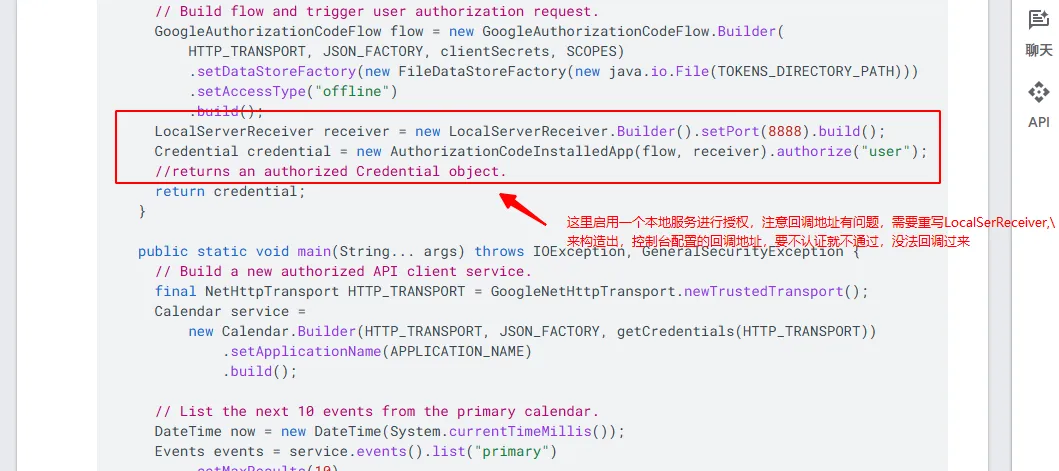
以下是调试后的完整代码:
# 直接copy官方LocalServerReceiver源码进行改进
public final class LocalServerReceiver implements VerificationCodeReceiver {
    private static final String LOCALHOST = "localhost";
    private static final String CALLBACK_PATH = "/Callback";
    private HttpServer server;
    String code;
    String error;
    final Semaphore waitUnlessSignaled;
    private int port;
    private final String host;
    private final String callbackPath;
    private String successLandingPageUrl;
    private String failureLandingPageUrl;

    public LocalServerReceiver() {
        this("localhost", -1, "/Callback", (String)null, (String)null);
    }

    LocalServerReceiver(String host, int port, String successLandingPageUrl, String failureLandingPageUrl) {
        this(host, port, "/Callback", successLandingPageUrl, failureLandingPageUrl);
    }

    LocalServerReceiver(String host, int port, String callbackPath, String successLandingPageUrl, String failureLandingPageUrl) {
        this.waitUnlessSignaled = new Semaphore(0);
        this.host = host;
        this.port = port;
        this.callbackPath = callbackPath;
        this.successLandingPageUrl = successLandingPageUrl;
        this.failureLandingPageUrl = failureLandingPageUrl;
    }

    public String getRedirectUri() throws IOException {
        this.server = HttpServer.create(new InetSocketAddress(this.port != -1 ? this.port : this.findOpenPort()), 0);
        HttpContext context = this.server.createContext(this.callbackPath, new CallbackHandler());
        this.server.setExecutor((Executor)null);

        try {
            this.server.start();
            this.port = this.server.getAddress().getPort();
        } catch (Exception var3) {
            Exception e = var3;
            Throwables.propagateIfPossible(e);
            throw new IOException(e);
        }

        return "https://" + this.getHost()  + this.callbackPath;
    }

    private int findOpenPort() {
        try {
            ServerSocket socket = new ServerSocket(0);
            Throwable var2 = null;

            int var3;
            try {
                socket.setReuseAddress(true);
                var3 = socket.getLocalPort();
            } catch (Throwable var13) {
                var2 = var13;
                throw var13;
            } finally {
                if (socket != null) {
                    if (var2 != null) {
                        try {
                            socket.close();
                        } catch (Throwable var12) {
                            var2.addSuppressed(var12);
                        }
                    } else {
                        socket.close();
                    }
                }

            }

            return var3;
        } catch (IOException var15) {
            throw new IllegalStateException("No free TCP/IP port to start embedded HTTP Server on");
        }
    }

    public String waitForCode() throws IOException {
        this.waitUnlessSignaled.acquireUninterruptibly();
        if (this.error != null) {
            throw new IOException("User authorization failed (" + this.error + ")");
        } else {
            return this.code;
        }
    }

    public void stop() throws IOException {
        this.waitUnlessSignaled.release();
        if (this.server != null) {
            try {
                this.server.stop(0);
            } catch (Exception var2) {
                Exception e = var2;
                Throwables.propagateIfPossible(e);
                throw new IOException(e);
            }

            this.server = null;
        }

    }

    public String getHost() {
        return this.host;
    }

    public int getPort() {
        return this.port;
    }

    public String getCallbackPath() {
        return this.callbackPath;
    }

    class CallbackHandler implements HttpHandler {
        CallbackHandler() {
        }

        public void handle(HttpExchange httpExchange) throws IOException {
            if (LocalServerReceiver.this.callbackPath.equals(httpExchange.getRequestURI().getPath())) {
                new StringBuilder();

                try {
                    Map<String, String> parms = this.queryToMap(httpExchange.getRequestURI().getQuery());
                    LocalServerReceiver.this.error = (String)parms.get("error");
                    LocalServerReceiver.this.code = (String)parms.get("code");
                    Headers respHeaders = httpExchange.getResponseHeaders();
                    if (LocalServerReceiver.this.error == null && LocalServerReceiver.this.successLandingPageUrl != null) {
                        respHeaders.add("Location", LocalServerReceiver.this.successLandingPageUrl);
                        httpExchange.sendResponseHeaders(302, -1L);
                    } else if (LocalServerReceiver.this.error != null && LocalServerReceiver.this.failureLandingPageUrl != null) {
                        respHeaders.add("Location", LocalServerReceiver.this.failureLandingPageUrl);
                        httpExchange.sendResponseHeaders(302, -1L);
                    } else {
                        this.writeLandingHtml(httpExchange, respHeaders);
                    }

                    httpExchange.close();
                } finally {
                    LocalServerReceiver.this.waitUnlessSignaled.release();
                }

            }
        }

        private Map<String, String> queryToMap(String query) {
            Map<String, String> result = new HashMap();
            if (query != null) {
                String[] var3 = query.split("&");
                int var4 = var3.length;

                for(int var5 = 0; var5 < var4; ++var5) {
                    String param = var3[var5];
                    String[] pair = param.split("=");
                    if (pair.length > 1) {
                        result.put(pair[0], pair[1]);
                    } else {
                        result.put(pair[0], "");
                    }
                }
            }

            return result;
        }

        private void writeLandingHtml(HttpExchange exchange, Headers headers) throws IOException {
            OutputStream os = exchange.getResponseBody();
            Throwable var4 = null;

            try {
                exchange.sendResponseHeaders(200, 0L);
                headers.add("ContentType", "text/html");
                OutputStreamWriter doc = new OutputStreamWriter(os, StandardCharsets.UTF_8);
                doc.write("<html>");
                doc.write("<head><title>OAuth 2.0 Authentication Token Received</title></head>");
                doc.write("<body>");
                doc.write("Received verification code. You may now close this window.");
                doc.write("</body>");
                doc.write("</html>\n");
                doc.flush();
            } catch (Throwable var13) {
                var4 = var13;
                throw var13;
            } finally {
                if (os != null) {
                    if (var4 != null) {
                        try {
                            os.close();
                        } catch (Throwable var12) {
                            var4.addSuppressed(var12);
                        }
                    } else {
                        os.close();
                    }
                }

            }

        }
    }

    public static final class Builder {
        private String host = "localhost";
        private int port = -1;
        private String successLandingPageUrl;
        private String failureLandingPageUrl;
        private String callbackPath = "/Callback";

        public Builder() {
        }

        public LocalServerReceiver build() {
            return new LocalServerReceiver(this.host, this.port, this.callbackPath, this.successLandingPageUrl, this.failureLandingPageUrl);
        }

        public String getHost() {
            return this.host;
        }

        public Builder setHost(String host) {
            this.host = host;
            return this;
        }

        public int getPort() {
            return this.port;
        }

        public Builder setPort(int port) {
            this.port = port;
            return this;
        }

        public String getCallbackPath() {
            return this.callbackPath;
        }

        public Builder setCallbackPath(String callbackPath) {
            this.callbackPath = callbackPath;
            return this;
        }

        public Builder setLandingPages(String successLandingPageUrl, String failureLandingPageUrl) {
            this.successLandingPageUrl = successLandingPageUrl;
            this.failureLandingPageUrl = failureLandingPageUrl;
            return this;
        }
    }
}
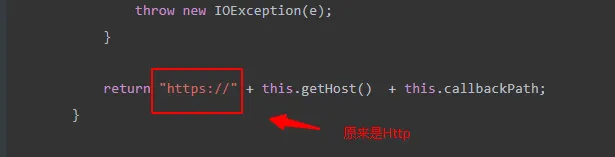
改进后的官方示例
import com.google.api.client.auth.oauth2.Credential;
import com.google.api.client.extensions.java6.auth.oauth2.AuthorizationCodeInstalledApp;
import com.google.api.client.googleapis.auth.oauth2.GoogleAuthorizationCodeFlow;
import com.google.api.client.googleapis.auth.oauth2.GoogleClientSecrets;
import com.google.api.client.googleapis.javanet.GoogleNetHttpTransport;
import com.google.api.client.http.javanet.NetHttpTransport;
import com.google.api.client.json.JsonFactory;
import com.google.api.client.json.gson.GsonFactory;
import com.google.api.client.util.DateTime;
import com.google.api.client.util.store.FileDataStoreFactory;
import com.google.api.services.calendar.Calendar;
import com.google.api.services.calendar.CalendarScopes;
import com.google.api.services.calendar.model.Event;
import com.google.api.services.calendar.model.Events;
import lombok.extern.slf4j.Slf4j;

import java.io.FileNotFoundException;
import java.io.IOException;
import java.io.InputStream;
import java.io.InputStreamReader;
import java.security.GeneralSecurityException;
import java.util.Collections;
import java.util.List;

@Slf4j
/* class to demonstrate use of Calendar events list API */
public class CalendarQuickstart2 {
  /**
   * Application name.
   */
  private static final String APPLICATION_NAME = "Google Calendar API Java Quickstart";
  /**
   * Global instance of the JSON factory.
   */
  private static final JsonFactory JSON_FACTORY = GsonFactory.getDefaultInstance();
  /**
   * Directory to store authorization tokens for this application.
   */
  private static final String TOKENS_DIRECTORY_PATH = "tokens";

  /**
   * Global instance of the scopes required by this quickstart.
   * If modifying these scopes, delete your previously saved tokens/ folder.
   */
  private static final List<String> SCOPES =
          Collections.singletonList(CalendarScopes.CALENDAR);
  private static final String CREDENTIALS_FILE_PATH = "/client_secret_516556754509-2sa65ilfc89m64sarvraicnqfueevl3u.apps.googleusercontent.com.json";

  /**
   * Creates an authorized Credential object.
   *
   * @param HTTP_TRANSPORT The network HTTP Transport.
   * @return An authorized Credential object.
   * @throws IOException If the credentials.json file cannot be found.
   */
  private static Credential getCredentials(final NetHttpTransport HTTP_TRANSPORT)
          throws IOException {
    // Load client secrets.
    InputStream in = CalendarQuickstart2.class.getResourceAsStream(CREDENTIALS_FILE_PATH);
    if (in == null) {
      throw new FileNotFoundException("Resource not found: " + CREDENTIALS_FILE_PATH);
    }
    GoogleClientSecrets clientSecrets =
            GoogleClientSecrets.load(JSON_FACTORY, new InputStreamReader(in));

    // Build flow and trigger user authorization request.
    GoogleAuthorizationCodeFlow flow = new GoogleAuthorizationCodeFlow.Builder(
            HTTP_TRANSPORT, JSON_FACTORY, clientSecrets, SCOPES)
            .setDataStoreFactory(new FileDataStoreFactory(new java.io.File(TOKENS_DIRECTORY_PATH)))
            .setAccessType("offline")
            .build();

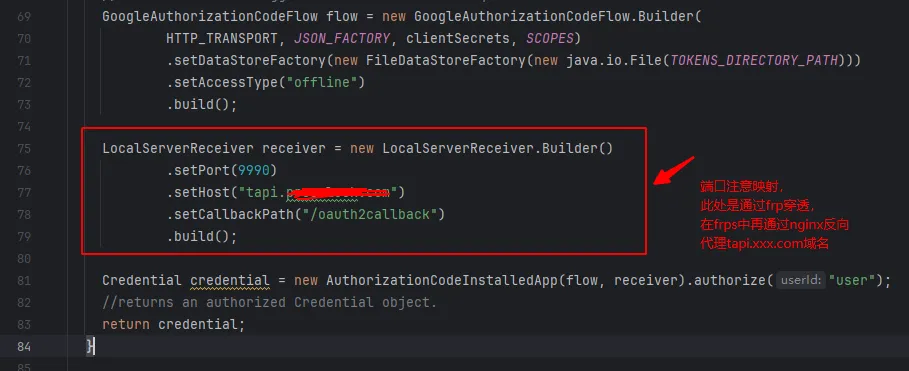
    LocalServerReceiver receiver = new LocalServerReceiver.Builder()
            .setPort(9990)
            .setHost("tapi.prosclock.com")
            .setCallbackPath("/oauth2callback")
            .build();

    Credential credential = new AuthorizationCodeInstalledApp(flow, receiver).authorize("user");
    //returns an authorized Credential object.
    return credential;
  }

  public static void main(String... args) throws IOException, GeneralSecurityException {
    // Build a new authorized API client service.
    final NetHttpTransport HTTP_TRANSPORT = GoogleNetHttpTransport.newTrustedTransport();
    Credential credentials = getCredentials(HTTP_TRANSPORT);
    Calendar service =
            new Calendar.Builder(HTTP_TRANSPORT, JSON_FACTORY, credentials)
                    .setApplicationName(APPLICATION_NAME)
                    .build();
    DateTime now = new DateTime(System.currentTimeMillis());
   /* // List the next 10 events from the primary calendar.

    Events events = service.events().list("primary")
        .setMaxResults(10)
        .setTimeMin(now)
        .setOrderBy("startTime")
        .setSingleEvents(true)
        .execute();
        printEvents(events);
    }*/


    // 1. 首次全量同步(不要传 syncToken)
    Events events = service.events().list("primary")
            .setTimeMin(now)   // 可选过滤
            .execute();
    printEvents(events);
// 2. 保存 nextSyncToken(你的 SYNC_TOKEN_KEY)
    String syncToken = events.getNextSyncToken();
    log.info("user:123:syncToken:{}", syncToken);   // 自己持久化

// 3. 下次请求用保存的 token
    events = service.events().list("primary")
            .setSyncToken(syncToken)  // 增量同步
            .execute();
    printEvents(events);
    System.out.println("获取日历数据结束");


  }


  private static void printEvents(Events events) {
    List<Event> items = events.getItems();
    if (items.isEmpty()) {
      System.out.println("No upcoming events found.");
    } else {
      System.out.println("Upcoming events");
      for (Event event : items) {
        DateTime start = event.getStart().getDateTime();
        if (start == null) {
          start = event.getStart().getDate();
        }
        System.out.printf("%s (%s)\n", event.getSummary(), start);
      }
    }
  }
}
以下是网络坑,本次基于IDEA进行调试,windows11已经过科学上网代理,认证一切正常,发现此处授权一直超时现象,困惑了许久
Credential credential = new AuthorizationCodeInstalledApp(flow, receiver).authorize("user");
解决方式:
原因:代码jvm直接没经过代理走了socket接口,直接访问谷歌接口地址导致
解决方式,在idea vm中配置代理解决
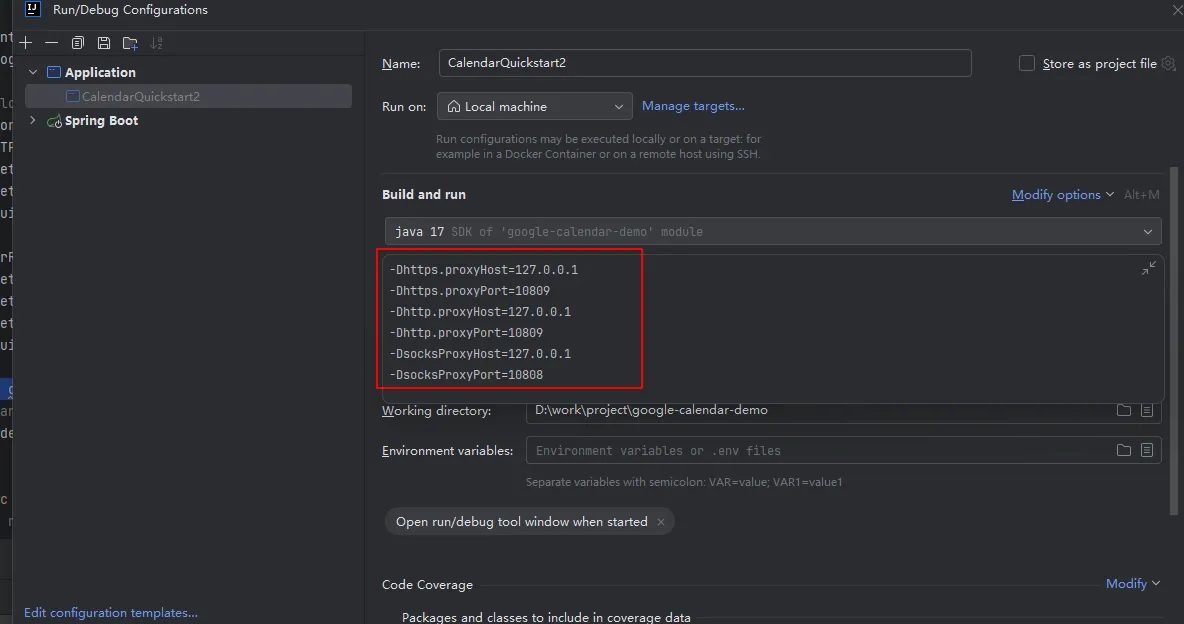
-Dhttps.proxyHost=127.0.0.1
-Dhttps.proxyPort=10809
-Dhttp.proxyHost=127.0.0.1
-Dhttp.proxyPort=10809
-DsocksProxyHost=127.0.0.1
-DsocksProxyPort=10808
上述分别配置https http socks代理,https http代理到本机127.0.0.1的10809端口,socks代理到本机127.0.0.1 10808端口

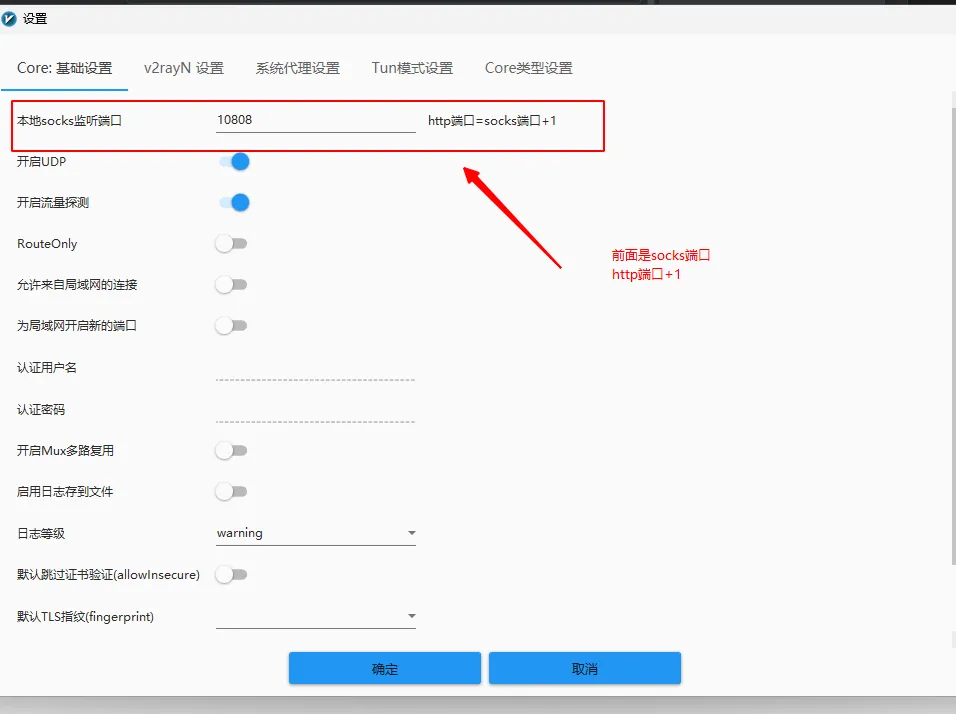
至此完美解决